The Fabulous Phablet – Huge Is Better
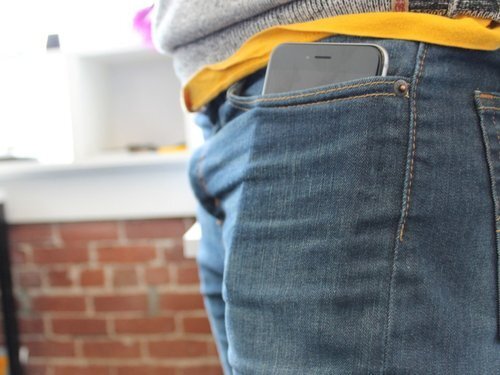
Ah, the phablet. Part phone, part tablet, guaranteed to stand out in both a crowd or your pants pocket, where it can barely be contained.
Just a few years ago, many pundits scoffed at these enormous devices, with 5-inch plus displays compared to the 3.7 inch screen you had grown accustomed to on your dear old iPhone.
The phablet category was pioneered by the Samsung Galaxy Note, a beast of a machine that came equipped with its very own stylus. Oh how they laughed and laughed. That was 2011.
This is 2014. Engadget just called the recently released Samsung Galaxy Note 4 “the best big screen phone you can buy right now.”
Meanwhile, Google just announced the biggest big screen phone you can buy, clocking in at a cool 6-inches: the Nexus 6.
And of course, there’s Apple, which just released its two biggest phones to date, with glowing reviews: the iPhone 6 and the iPhone 6 Plus.
What’s all this mean for me and you? Well first, and lets face it, we’re all going to need bigger pants. Or pockets. (In fact, pants makers, hear me well: we need more room.)
More importantly, as any smartphone is nothing without a great suite of apps, developers are going to have to start making use of all that on-screen real estate. Here’s three simple ideas to consider when designing apps for ginormous phablets.
Blow It Up
Perhaps the easiest, most obvious and simple fix is to make sure your app runs in HD and is optimized for the big screen. Sounds obvious, but you would be surprised how many third-party apps appear in lower resolution and don’t fit properly across the screen. You want the app to feel as if it’s an integral part of your phone, and a low-res app designed for a 3.7 inch screen looks sloppy stretched across 6 inches of HD goodness.
Thumbs Up
Guess what? That giant phablet is really hard to operate with one hand. In many cases, users will hold the phone horizontally with two hands, not unlike a Sony PSP gaming system. That means all meaningful interactions should be placed in easy reach of those two thumbs, preferable in the lower corners of the screen to not hide any of your glorious content on the center of the screen.
Talk To Me
And if you happen to try and hold your phablet with only one hand, you will be sure to notice how unwieldy it is, most likely when you drop it on the ground in despair. In that event, you’ll really appreciate voice command functionality. Just a few commands for your core functions can do the trick. It’s the future!
If you want to learn more or talk about mobile app development, contact us at Appstem today!
